I want to keep up with what’s happening in the world, and keeping up with the news is a core part of that. However, the macOS News app doesn’t deliver what I want from the news, and it often leaves me with a sense of dread at the end of it. If I had to select the key features I wanted out of my news application, it would be the following:
- only the sources I picked
- a volume I could keep up with
- control over what shows up and what stays hidden
To find a solution to the points above, I built The Daily Feed, a native macOS RSS reader, using Claude Code to help me build a Swift application, Swift being something I have not used before and don’t have deep knowledge in.
The project GitHub repo can be found here: https://github.com/Blake-C/the-daily-feed
What the App Does
The main panel shows articles pulled from whatever RSS sources you have configured in the sidebar. You can filter down to a single source, browse everything in All Articles, or use the tag bar at the top of the feed to filter by topic.
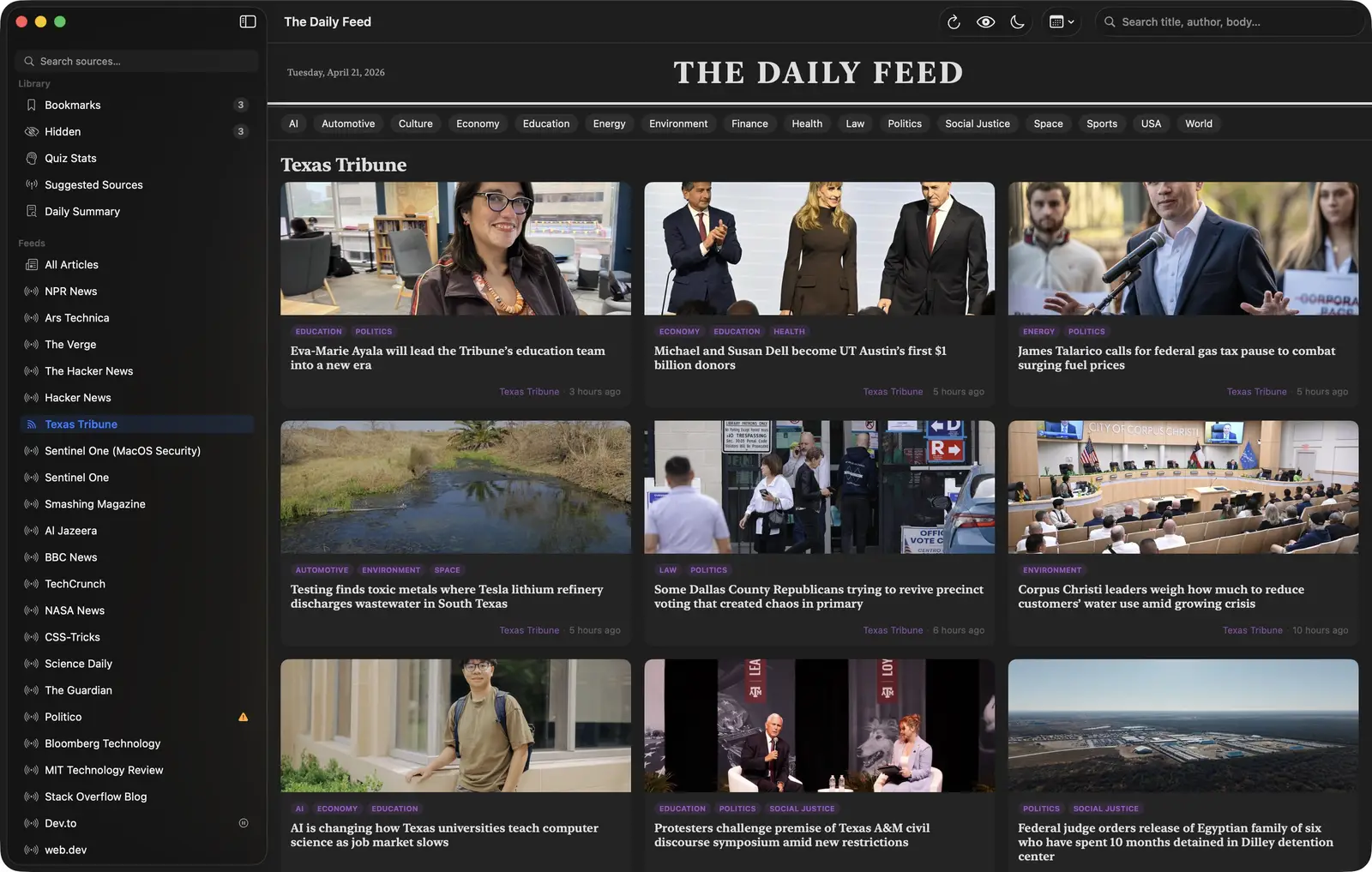
Along the top you get a refresh button, a toggle to hide articles you’ve already read, a Dim button that drops thumbnail brightness when it’s late at night and you don’t want to stare at something bright, a time filter for the past hour, four hours, six hours, and so on, and a search field that runs full-text search across title, author, and body text. Search is backed by SQLite FTS5, a virtual table module built for full-text search, so the query time does not climb with the number of articles cached.
On each article card you can bookmark it or click the X to hide it without reading. Hidden articles live in their own section in case you want to unhide them later.
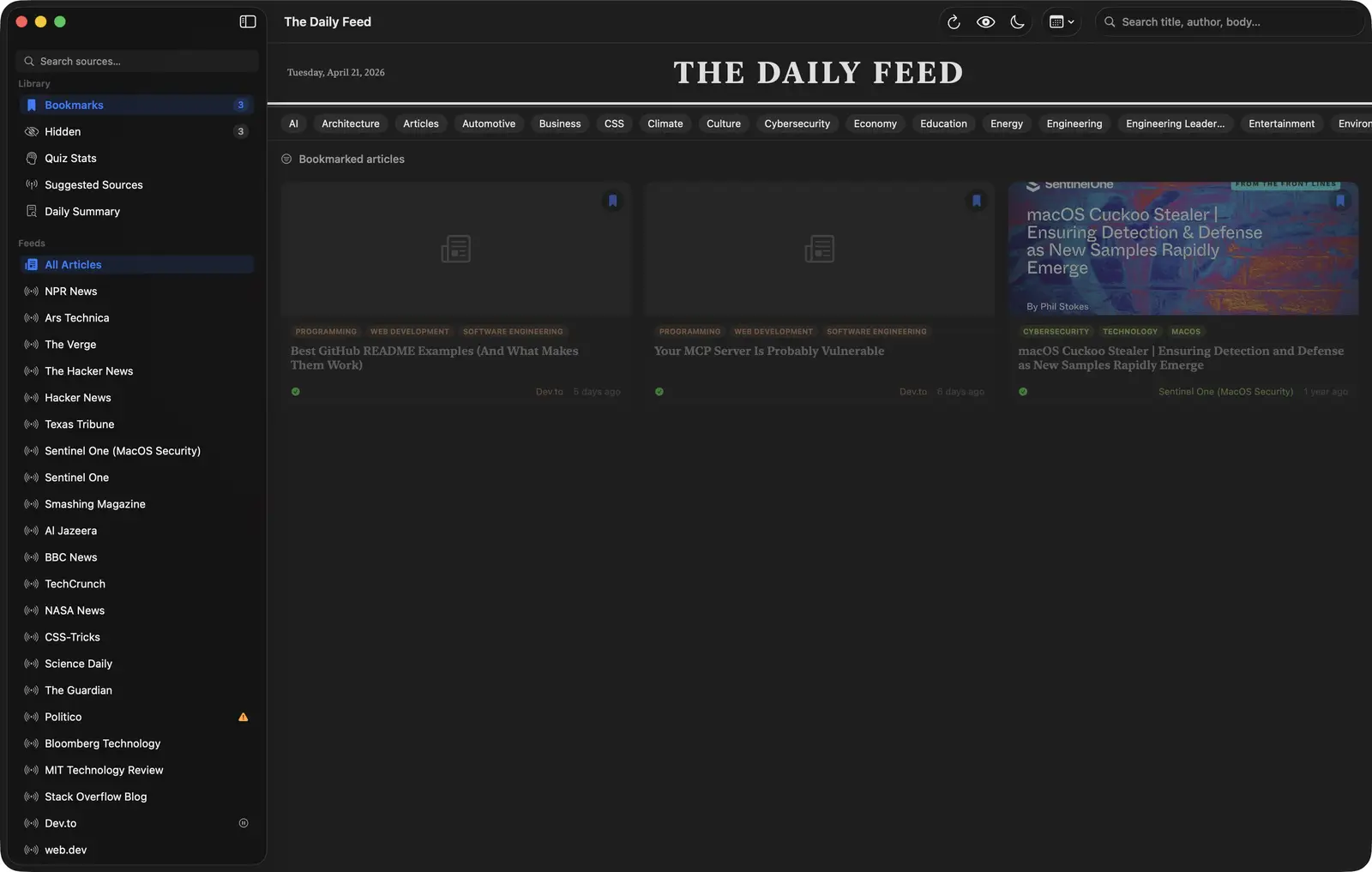
The Library section on the right side of the sidebar holds your bookmarks and your quiz stats, both of which I will get to in a moment.
The Quiz
The quiz took more rounds to get working than anything else in the app, and it is what I use to check whether I retained what I just read.
When you open an article it renders in a modal using Mozilla Readability.js, which strips out all the navigation, ads, and surrounding noise and gives you just the text. In the top-right corner of that modal there’s a button to generate comprehension questions about what you just read.
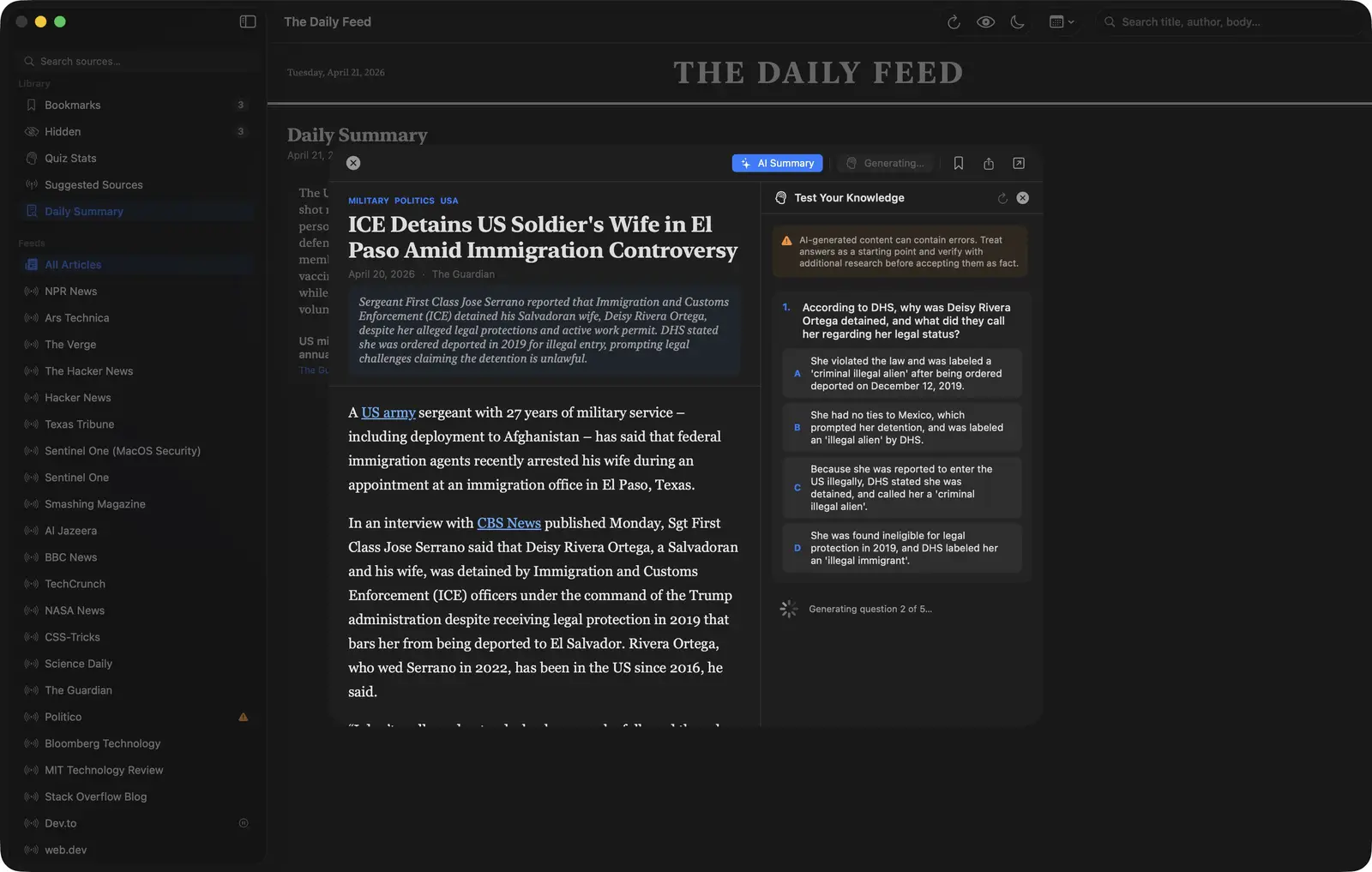
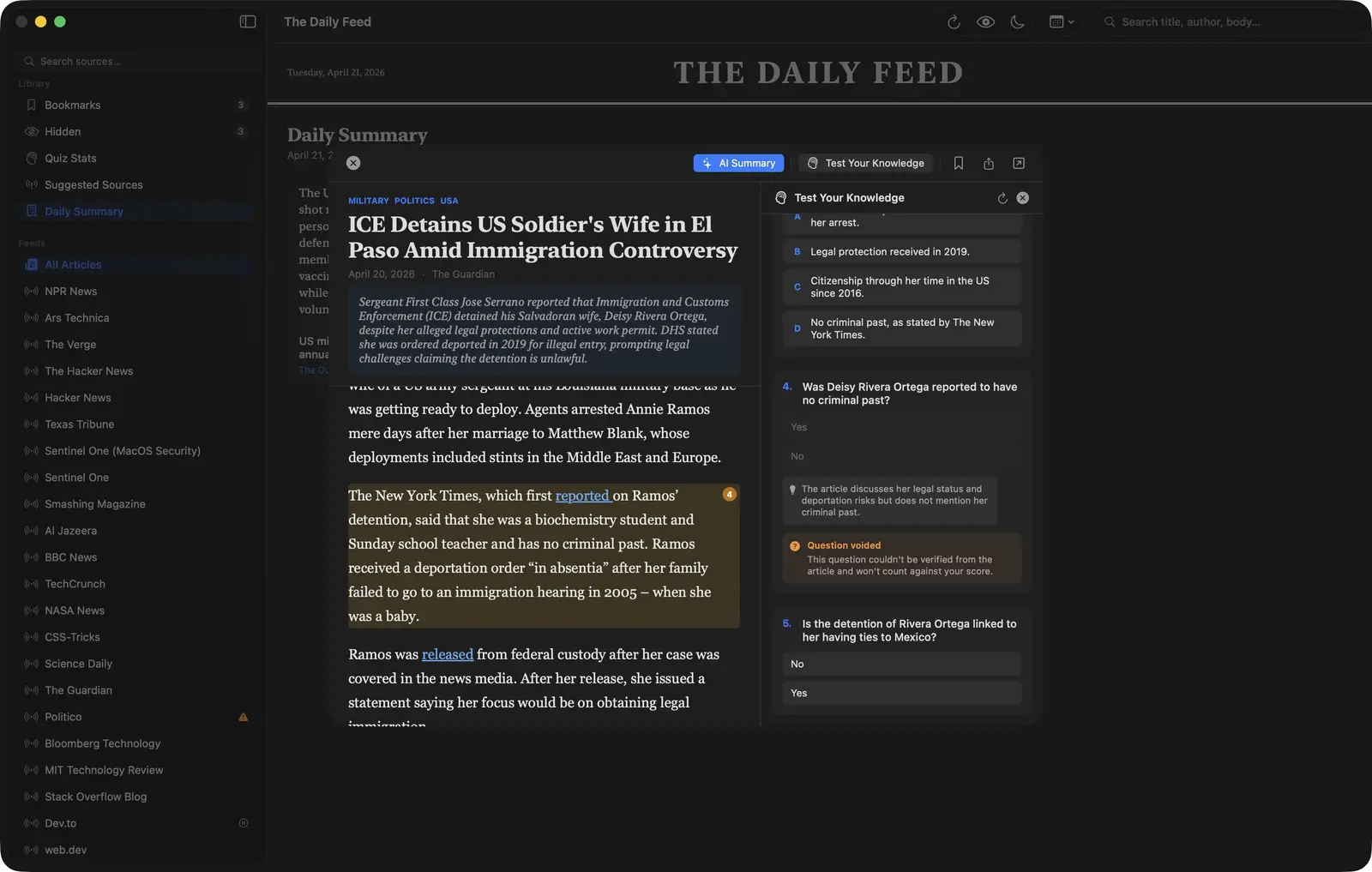
The questions are generated by Ollama running locally on your machine. The app sends the article title and body to Ollama and asks it to produce five questions. Three are multiple choice, two are true/false. The reason for the quiz is simple: I kept reading article after article and retaining very little. Having to answer questions about something you just read forces you to slow down.
The app sends five separate requests, one per question, and displays each as it arrives. Asking for all five at once produced inconsistent JSON that failed parsing in unpredictable ways. Five separate requests are slower overall and far more reliable.
Splitting the requests introduced a new problem, which is that a model asked for one question at a time has no idea what it already asked. Each request now carries the text of the earlier questions in the prompt, under a heading that says they have already been asked, with an instruction not to test the same fact or event even if the phrasing differs. That instruction says outright that a true/false question about the same event counts as a duplicate.
let prompt = """
    Generate ONE \(typeRule) comprehension question about this news article.
    This is question \(number) of 5.

    Rules:
    - correctIndex: 0-based index of the correct answer
    - explanation: one sentence explaining why the answer is correct
    - sourceExcerpt: first 12-15 words verbatim from the paragraph the question \
      is based on (omit if not tied to a specific paragraph)

    Respond with ONLY this JSON object and nothing else:
    \(example)

    Article title: \(safeTitle)
    Article content: \(safeContent)
    """
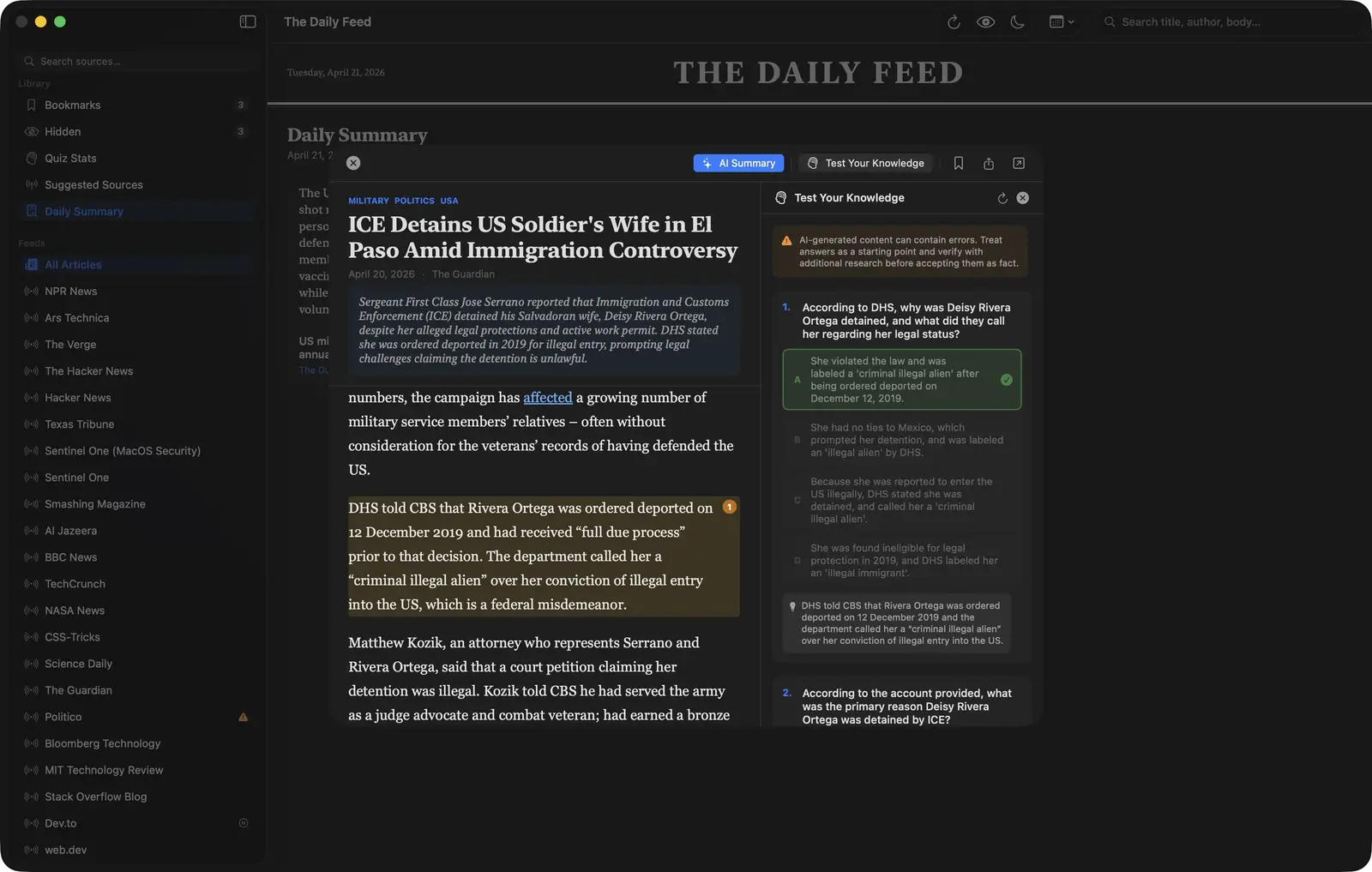
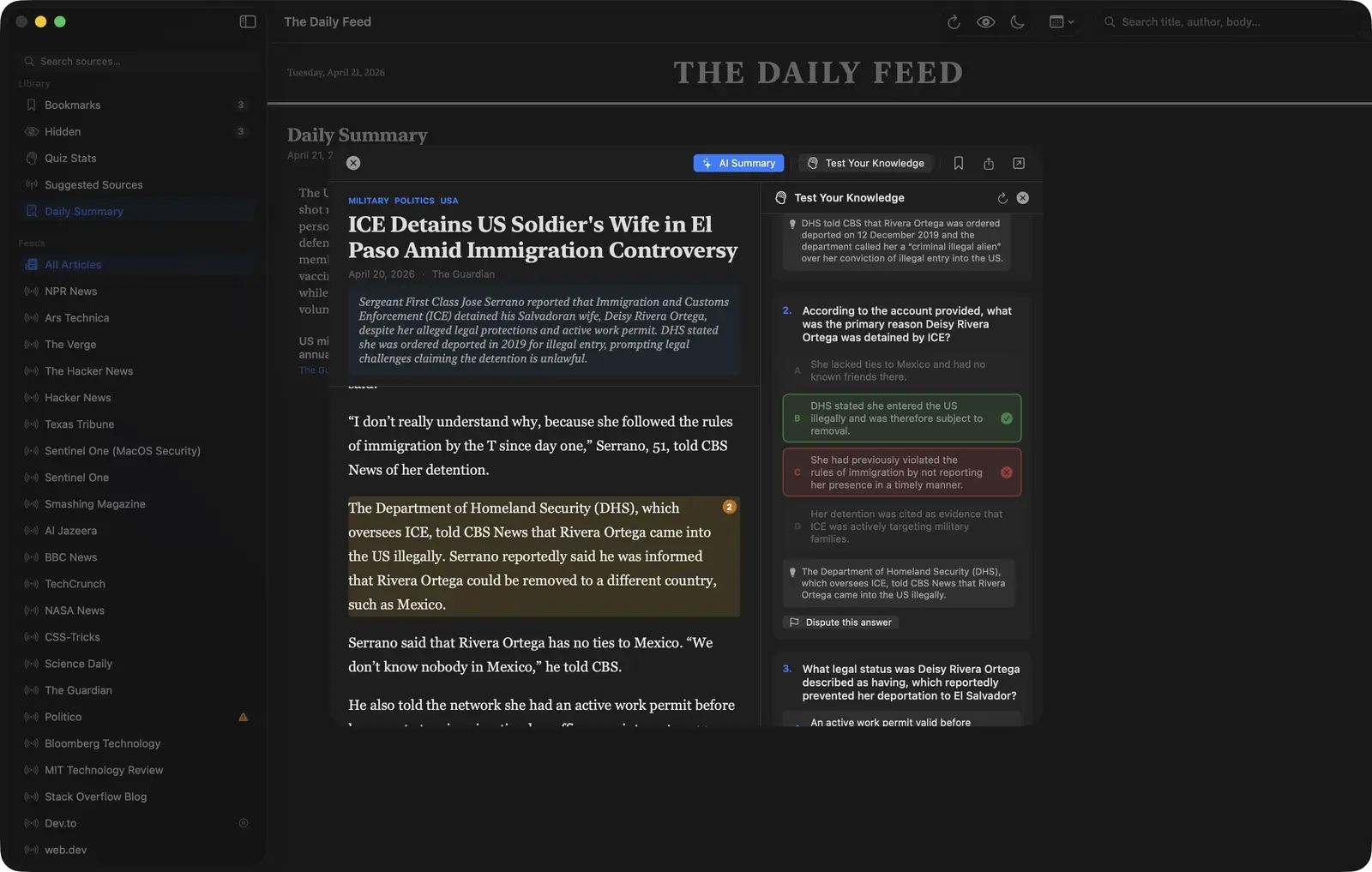
The paragraph the question came from gets highlighted in amber in the article text with a numbered badge, so you can go back and find exactly where in the article the question originated.
Disputing Answers
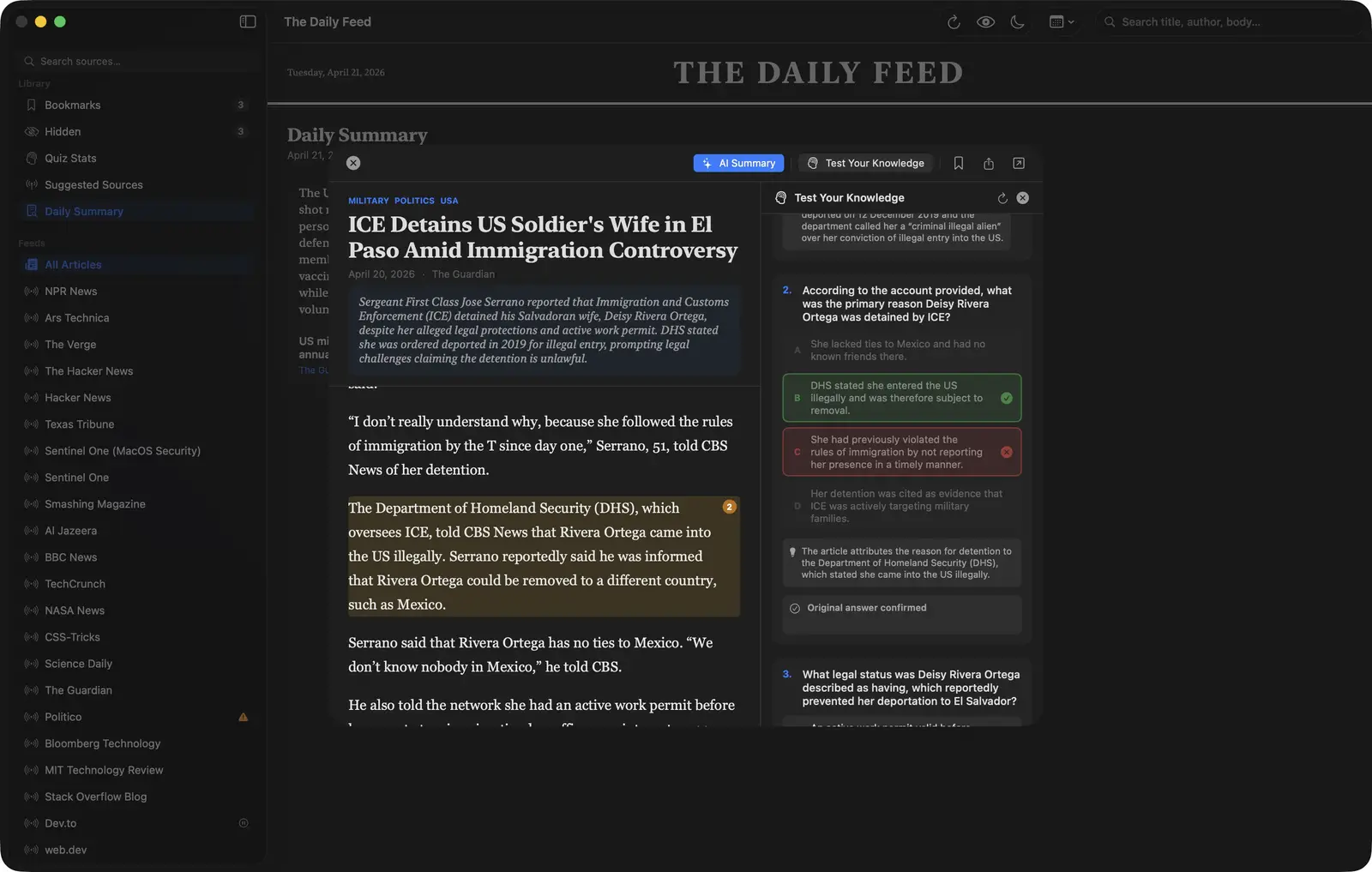
Ollama hallucinates like any other LLM, so it sometimes generates a question that is wrong or marks a correct answer as incorrect, and I built a dispute system to handle that.
When you get an answer marked wrong, a button appears to dispute the question. The app sends the question, all answer options, the correct answer as marked, your answer, and the relevant article excerpt back to Ollama for a second look. Ollama re-examines the question against the source material and either rules in your favor or confirms the original answer. If it voids the question entirely because it recognizes the question was a hallucination, the question does not count against your score.
onDispute: { questionIndex, userChosenIndex in
    let content = readabilityResult?.textContent ?? article.summary ?? article.title
    await detailVM.disputeAnswer(
        questionIndex: questionIndex,
        question: detailVM.quizQuestions[questionIndex],
        userChosenIndex: userChosenIndex,
        content: content,
        endpoint: appState.ollamaEndpoint,
        model: appState.ollamaModel
    )
}
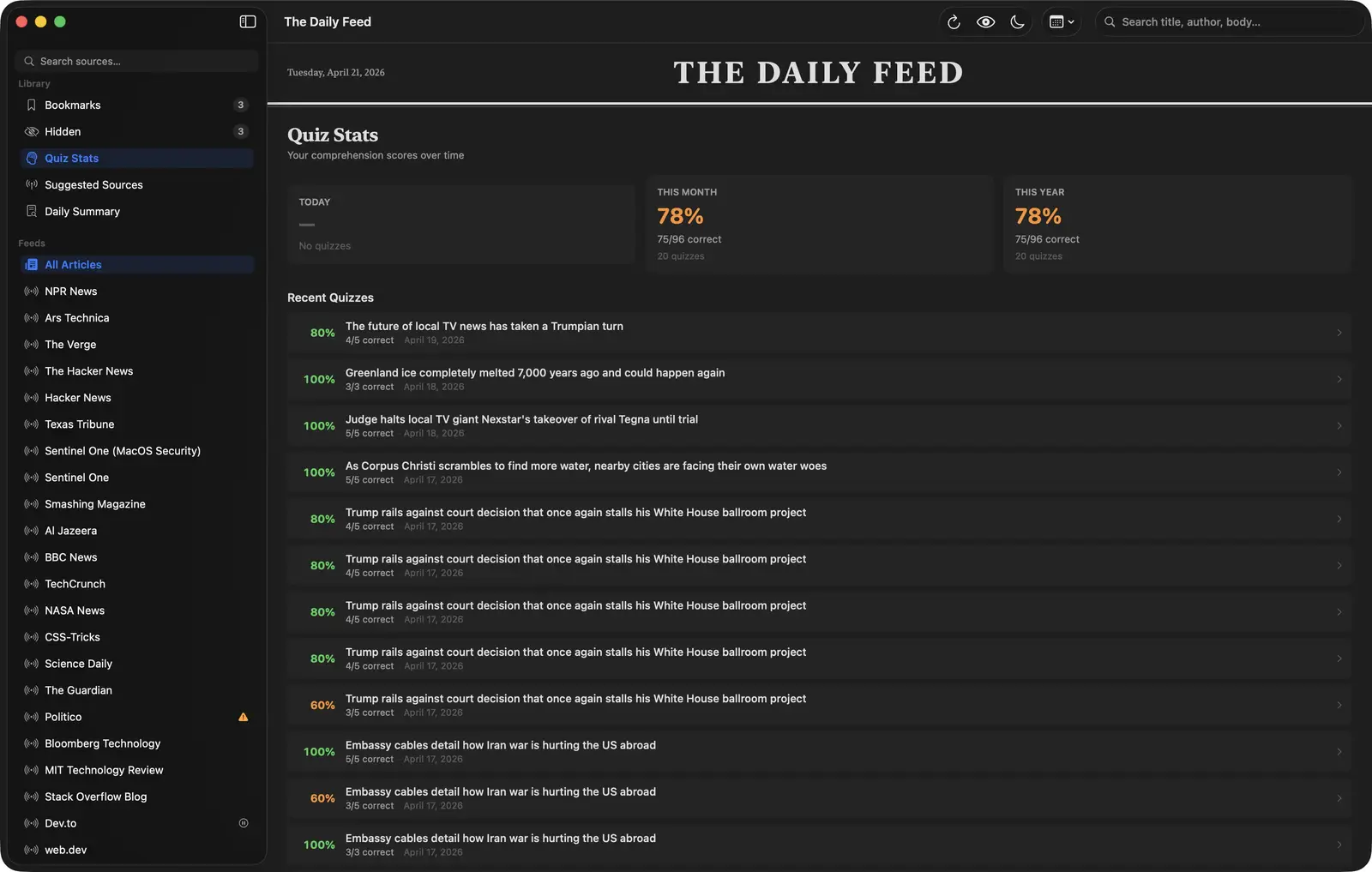
The quiz stats screen shows your scores broken out by day, month, and year.
The Other Ollama Features
The app talks to Ollama in three other places.
Article summary. A button at the top of the article modal generates a summary of what you’re reading, which I use to decide whether to read the whole thing.
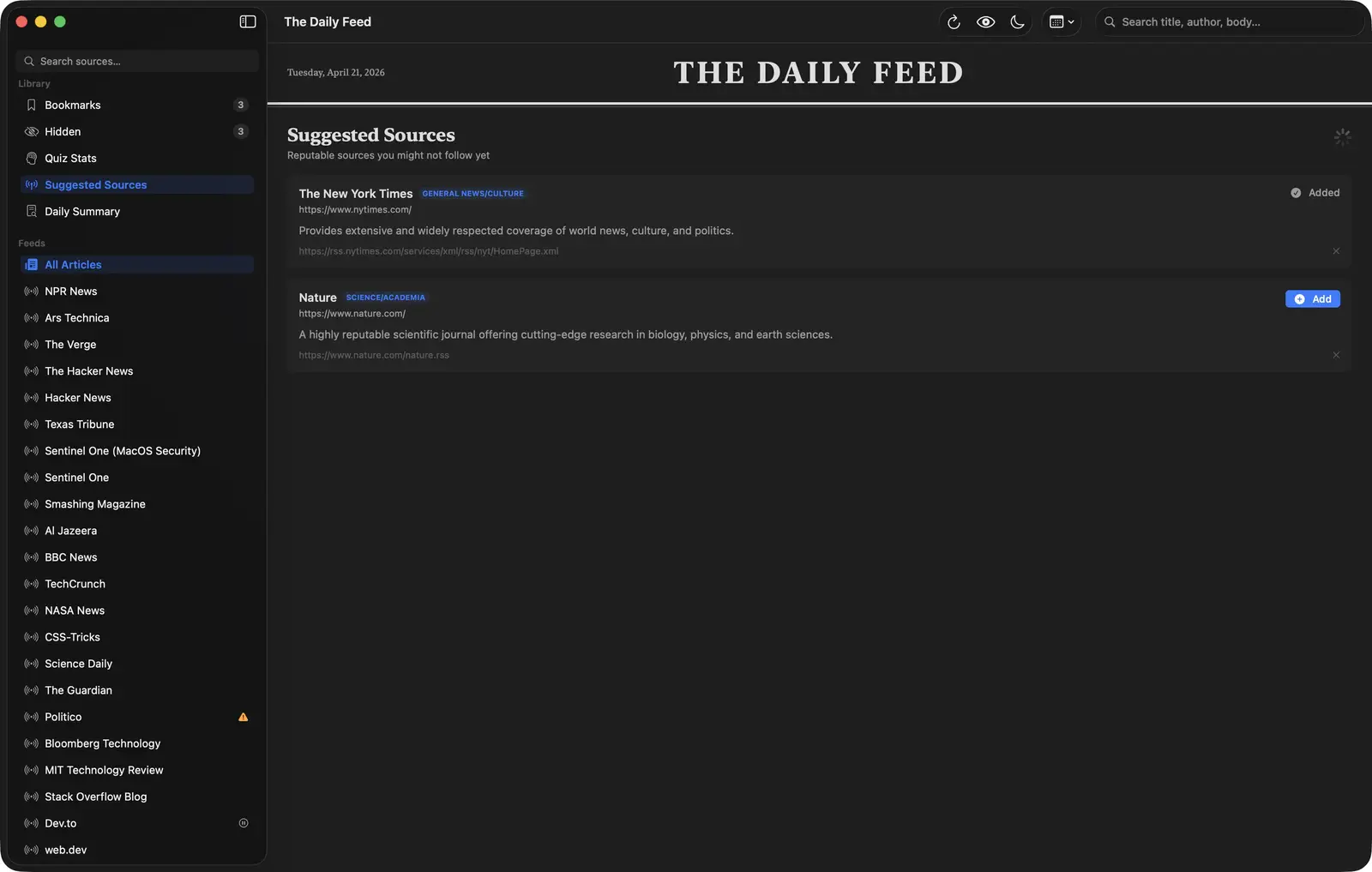
Suggested sources. The Library sidebar has a Suggested Sources section that periodically asks Ollama to recommend reputable RSS feeds based on what you’re already subscribed to. Take these with skepticism. LLMs can hallucinate URLs and publication names that don’t exist, so treat the list as somewhere to start looking and check each feed before you add it.
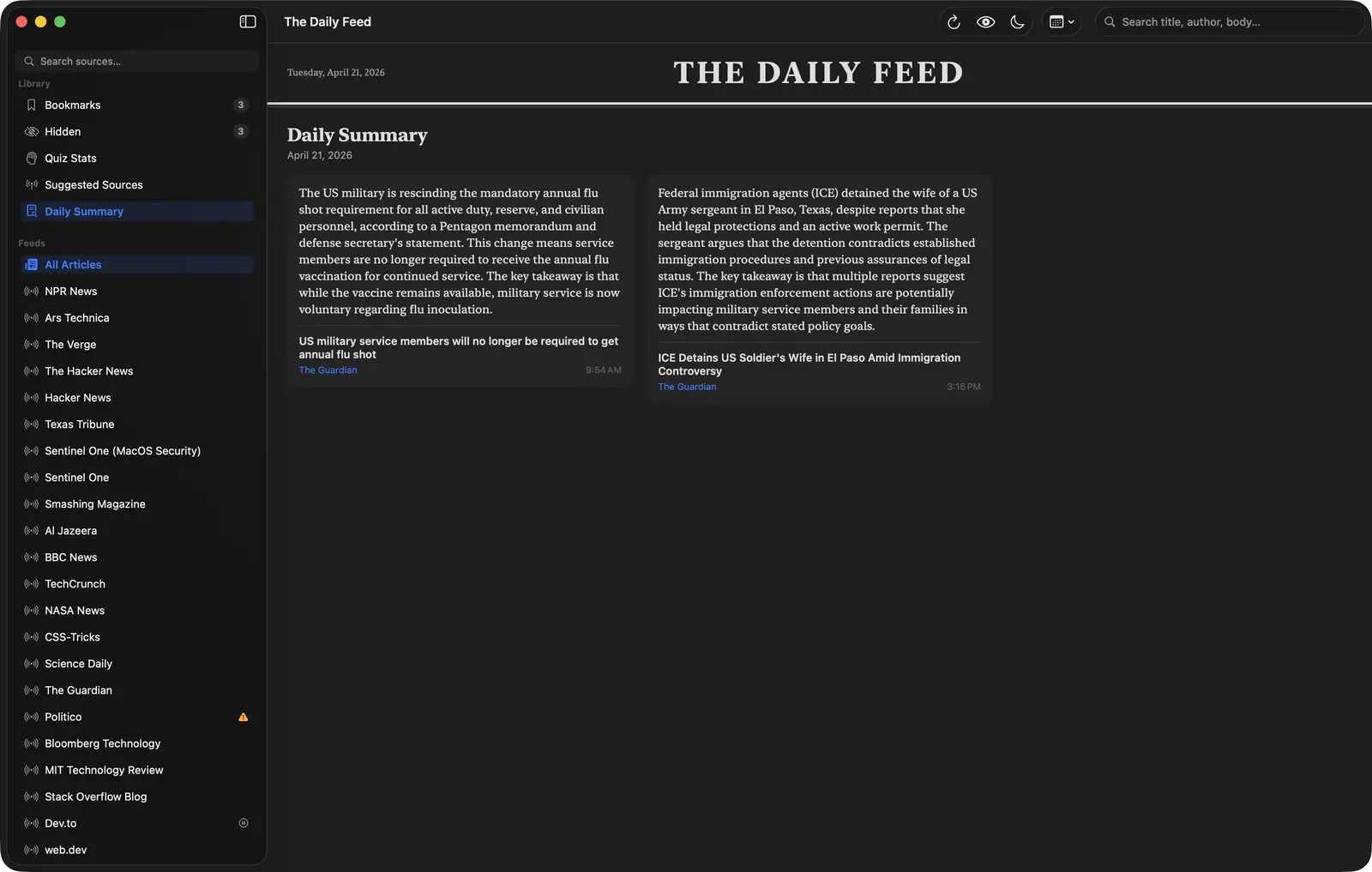
Daily summary. As you read articles throughout the day, the app tracks them. The Daily Summary view in the Library takes everything you’ve read and generates a summary of your reading day, all in one place.
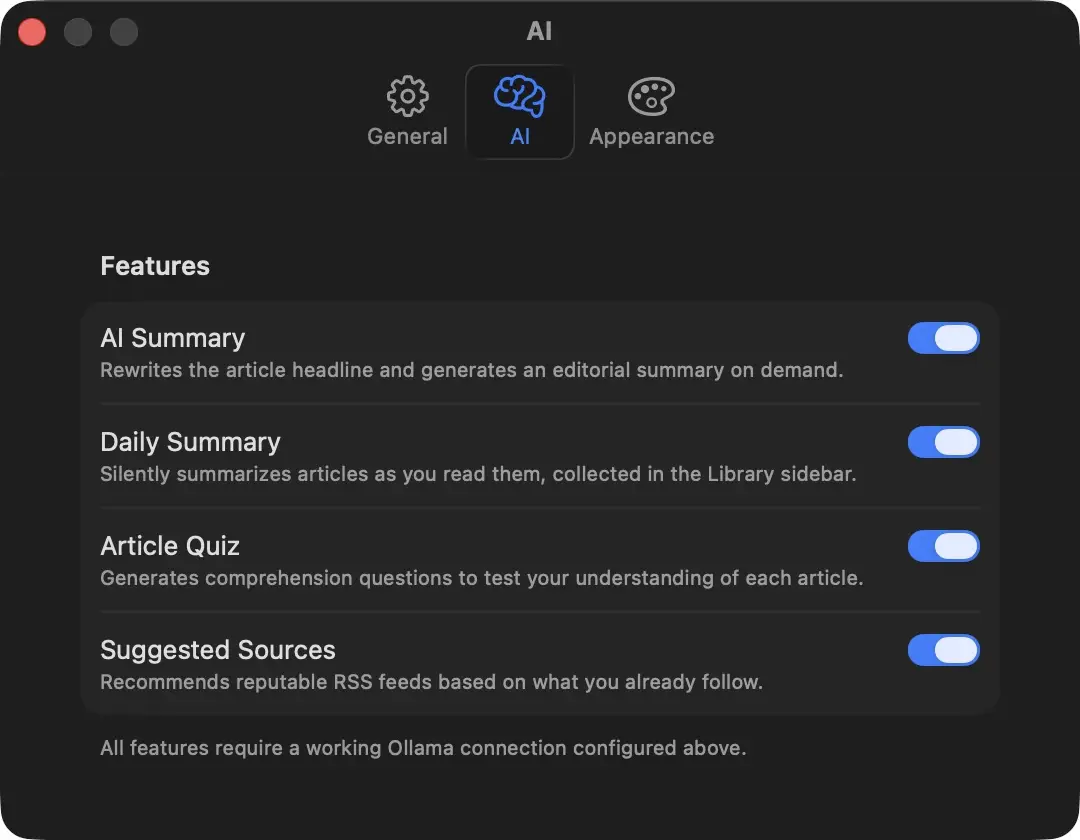
All of these are configurable in the AI settings tab. You can point the app at a different Ollama endpoint, choose the model, and write your own prompt template for article summaries using {title} and {content} as placeholders.
Security
The Ollama endpoint is configurable, so it is not guaranteed to be local. The app enforces HTTPS for any Ollama endpoint that is not localhost or 127.0.0.1. If you point it at a remote server over plain HTTP, it refuses to send anything.
let isLocal = host == "localhost" || host == "127.0.0.1"
    || host == "::1" || host == "[::1]"
guard isLocal || scheme == "https" else {
    throw NewsError.invalidURL(
        "Remote Ollama endpoints must use HTTPS to protect article content in transit."
    )
}
Article rendering uses Readability.js inside a WKWebView. The extracted content gets a Content Security Policy injected both during extraction and again in the render template, since cached content bypasses the extraction step entirely.
// ReadabilityService already injects a CSP during extraction, but the
// render-side template had no CSP of its own. DB-cached content bypasses
// ReadabilityService entirely, so this ensures consistent protection
// regardless of content source.
Every API key the app holds goes into the macOS Keychain, including the OpenWeatherMap key for the weather widget and the Anthropic and OpenAI keys for the providers other than Ollama. None of them are written to UserDefaults, a plist, or iCloud.
Building with Claude Code
The initial commit landed on April 14 with the core MVVM architecture, SQLite persistence via GRDB, feed parsing via FeedKit, and the Readability.js extraction pipeline all in place at once. The next three days were 56, 50, and 36 commits.
I wrote a CLAUDE.md file early in the project. It is a plain-language description of what the app was supposed to do and why, along with constraints and decisions as they accumulated. Claude reads it at the start of each session and does not lose track of what we already decided.
The architecture came down to four decisions:
- MVVM
- a repository per data type
async/awaitconcurrency@MainActoron views
All four came out of describing what I wanted the app to do. Claude proposed the patterns from that description, and we went with them.
What Claude does not do is tell you what to build. Every feature in this app started with me deciding I wanted it. The quiz, the dispute mechanism, the dim button, the daily summary. I had to know what I wanted before Claude could build it.
Some things took multiple rounds. The quiz went through several passes on four things:
- the generation prompt
- the JSON parsing strategy
- the duplicate-question prevention
- the paragraph highlight behavior
What worked each time was to describe what the current behavior was doing wrong and point at the specific code path. When the first fix missed, describing the symptoms more precisely got there, and accepting “I can’t reproduce that” did not.
What’s Next
A few things on my list:
- Weather widget improvements, since the current one needs an OpenWeatherMap key and shows very little
- Better source discovery that doesn’t rely entirely on an LLM
- Read-later improvements
- Adding additional LLM options such as Claude or ChatGPT (added June 25, 2026: Anthropic and OpenAI are now selectable providers alongside Ollama)
The app is open source. If you want to run it, clone the repo, run ./build_app.sh, and copy the .app bundle to /Applications. Ollama is required for the AI features. OpenWeatherMap is optional and only needed for the weather widget.