While working at Seismic, our Analytics Specialist (Alex Biyevetskiy) came to me asking for exit intent popup functionality on one of our WordPress properties. This project came at the tail end of our time with WordPress, so it was one of those projects where we had to get it out the door quickly so that we could move on to the next platform build-out. The requirements were:
- A/B testing
- conversion tracking
- GA4 integration
- self-management
The version I built for Seismic remains with them, so it’s not something I can go back and take a look at, especially now that the site has been rebuilt on a brand new platform. What I wanted to do here was to take those same constraints and build them into a plugin and revisit that functionality.
This is a proof of concept. It does not recreate the Seismic version one for one, and it covers the core of what made that project interesting.
The Spec
Before writing any code, I put together a project.md outlining what the plugin needed:
- A custom post type with the Gutenberg editor so popup content could be written as blocks
- Per-popup settings for delay, auto-appear timer, frequency, position, size, theme, and date scheduling
- A multi-select on pages and posts for assigning popups
- Multiple popups per page for A/B testing
- A results dashboard with impressions, conversions, and close rates
- GA4 integration with configurable event names
- A global settings page for colors, sizes, and border radius using CSS custom properties
The project.md file helped me keep Claude on track in terms of what features we needed to build out as the project moved forward. I updated the spec in the file so that Claude could maintain the history and knowledge of what we were building. I did have a CLAUDE.md file that maintained the global project status, but I didn’t want the history of what was happening in that file, as, if it becomes bloated, it could cause Claude to hallucinate more. This file only got loaded into the context when needed.
Working with Claude
After I detailed all the project requirements, Claude quickly scaffolded out the classes, the hook registration, the MetaBox markup, and REST endpoint structure. As we iterated over the project, I could describe a problem in plain terms and then have Claude fix those issues or make adjustments as needed. Even between sessions, it was able to stay coherent and on task as we added new features, and on occasion it provided me with suggestions on how to move forward.
Architecture
There are seven classes, one per concern:
- the custom post type
- per-popup settings
- page assignment
- global settings
- frontend rendering
- A/B tracking
- the results dashboard
In order to keep things simple, I decided not to move forward with a build pipeline, but instead to move forward with just vanilla JavaScript wrapped in an IIFE so that we didn’t conflict with anything else happening on the WordPress backend, and all the theming goes through CSS custom properties.
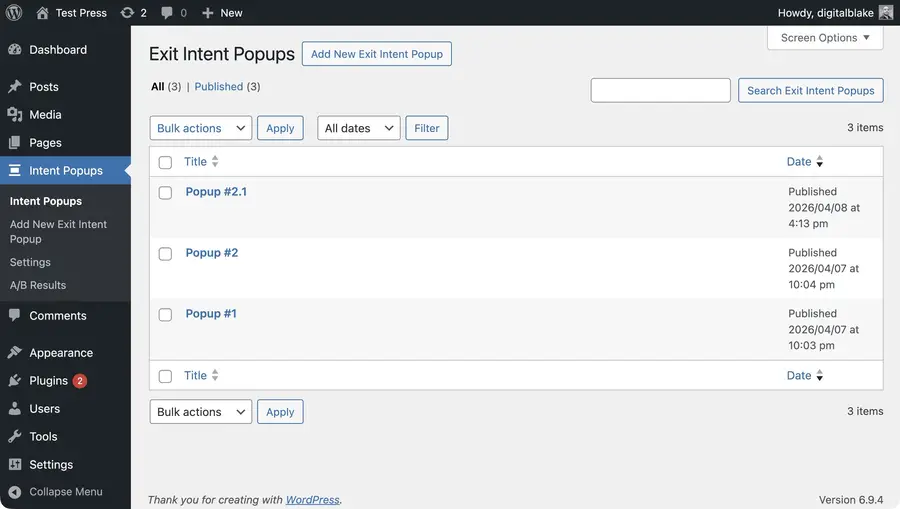
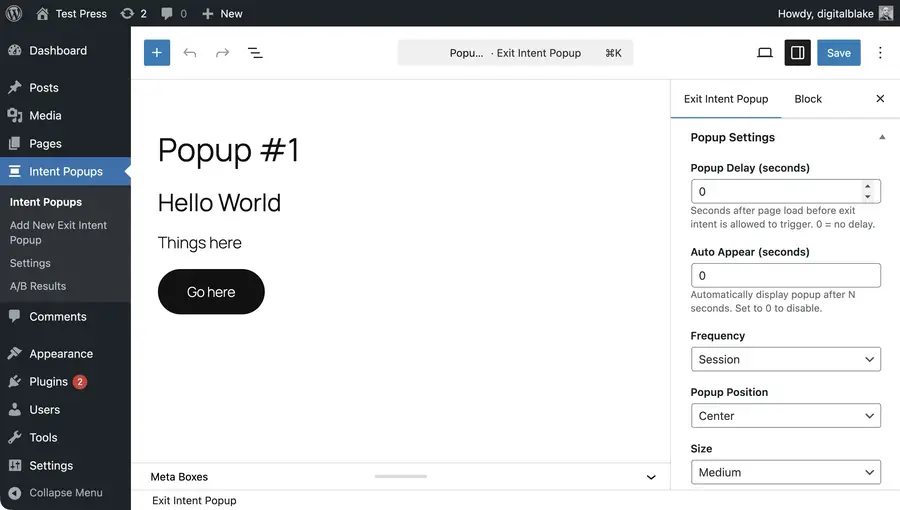
Each popup is a custom post type edited through a Gutenberg-enabled editor. All per-popup configuration lives in the sidebar.
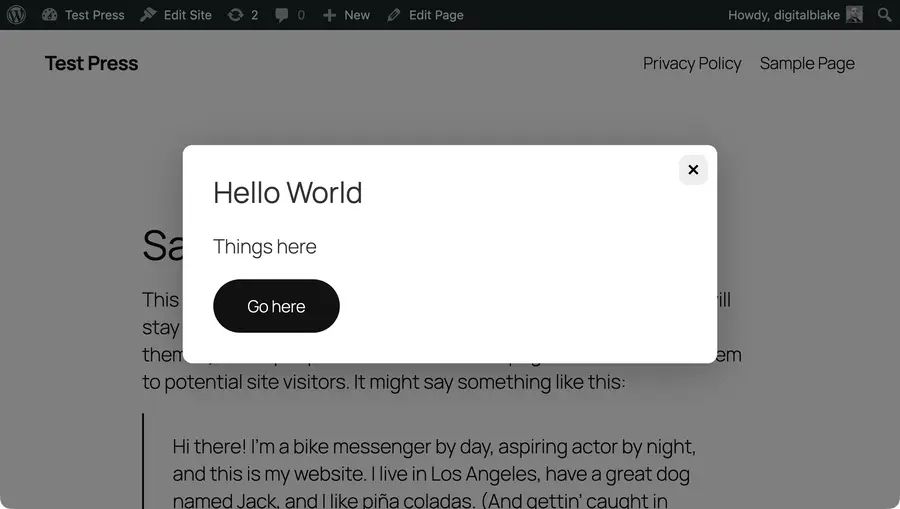
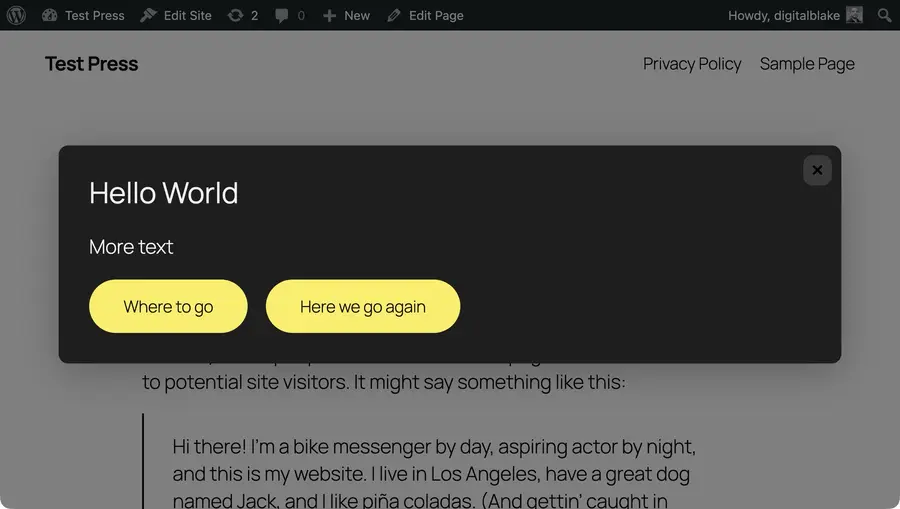
The popup itself supports light and dark themes, both of which can be further customized through the global settings page.
Challenges
Four things came up during the build.
Exit intent on mobile. The mouseleave event does not fire on touch devices. The solution was a scroll-reversal event listener: once a visitor has scrolled down at least 100 pixels, watch for a fast upward scroll and treat that as exit intent. It is not precise, but it fires in the right situations often enough to be useful.
// Mobile / touch: scroll-reversal exit-intent heuristic.
// mouseleave never fires on touch devices, so watch for a rapid upward
// scroll after the user has scrolled at least 100px down the page.
if ('ontouchstart' in window) {
	let lastScrollY = window.scrollY
	let maxScrollY = window.scrollY

	document.addEventListener(
		'scroll',
		function () {
			const current = window.scrollY
			if (current > maxScrollY) {
				maxScrollY = current
			}
			if (!popupTriggered && delayPassed && !activeModal && maxScrollY >= 100 && lastScrollY - current >= 50) {
				popupTriggered = true
				openModal(selected)
			}
			lastScrollY = current
		},
		{ passive: true },
	)
}
Threshold tuning. The initial desktop threshold was clientY <= 5, which fired when someone scrolled to the top of a page or moved the cursor quickly to a navigation link. Dropping it to clientY <= 0 fixed the issue.
A/B result color-coding on low data. The results dashboard highlights conversion rates green or orange. A popup with one impression and one conversion would show 100% in green, which tells you nothing about how it performs. Color-coding is now applied only at 30 or more impressions, and rows below that get a warning marker instead.
CSV injection. The data export was one of the later additions. Spreadsheet applications treat a cell starting with =, +, -, or @ as a formula, so a popup title beginning with one of those characters could run a formula when someone opened the export in Excel. Every text cell now goes through a function that prefixes the value with a tab character when it starts with one of those, which stops the spreadsheet from parsing it as a formula.
Where the Plugin Stands
The plugin is accessible via a Git repo linked below. I would say it’s somewhere between a proof of concept and a feature-complete draft. It is production ready, but you need to be able to style the site yourself, as these types of plugins I don’t like to style heavily, so that they can be easily applied to different sites. I hope in the future I’m able to polish this plugin up some more when I have the opportunity to use it in a production environment.
I’ll likely continue to use Claude going into the future; however, I’ll be very cautious in terms of how often I use it and for what purposes. I don’t want this thing to take full control over development, but it is a very, very, very good tool in terms of what it is able to do and accomplish in a quick buildout.
The final project can be found in this git repo: https://github.com/Blake-C/wp-exit-intent-popups